Education publishers, textbook authors and teachers who run their own websites share a quiet worry. You publish a study guide, a lesson plan or a course page, and then you wonder whether anyone can find it. Writing the page is only half the job. The other half is knowing whether it appears for the search terms that parents, students and fellow teachers actually type.
That second half is what rank tracking tools are for. This article looks at one of them, ServiceHub247, in a general overview: what problem it addresses, how it works, where it is strong, where it is limited, and who is likely to get value from it.
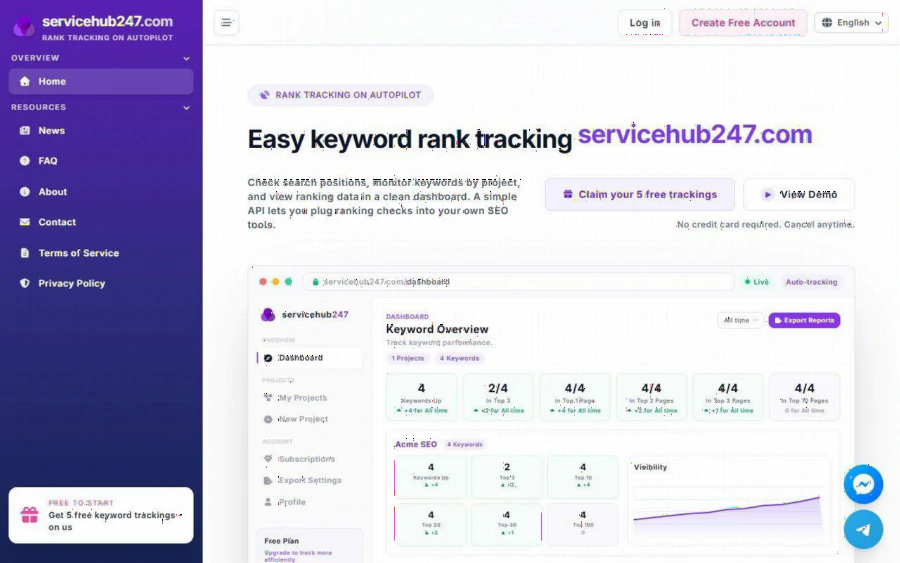
ServiceHub247 homepage with a keyword overview dashboard showing keywords up and top positions
The problem: you cannot improve what you cannot see
Search results change constantly. A page that sat in the top ten last month may slip to the second page after a competitor updates its content or a search engine adjusts its algorithm. Checking by hand is unreliable. Your own results are shaped by your location and search history, and doing it for dozens of keywords every week quickly turns into a chore nobody keeps up with.
For a school publisher or an education blogger, the stakes are practical. Seasonal topics such as exam preparation, back-to-school resources or curriculum updates can swing traffic sharply. If a key page drops, you want to notice in days, not months. A rank tracker gives you a record of positions over time, so you can connect a change in traffic to a change in ranking instead of guessing.
Agencies and freelancers face a version of the same problem at larger scale. They manage keywords for several clients, and they need reports that show progress without hours of spreadsheet work.
What ServiceHub247 does
ServiceHub247 positions itself as rank tracking on autopilot. You add keywords, organize them by project, choose the location you care about, and the service checks positions on a schedule. The main pieces, as described on the site, are these:
- A keyword dashboard. The overview groups your keywords into buckets: Keywords Up, Top 3, Top 10, Top 20, Top 30 and Top 100. At a glance you see how many terms sit near the top and how many are moving.
- Charts. A Visibility chart and a Position Trend chart show direction over time, which is more useful than a single snapshot.
- Ranking history and alerts. Past positions are stored, and rank alerts can tell you when something changes.
- Reports. You can export reports, including a PDF snapshot, which is handy when a client or a school administrator wants to see progress on paper.
- A daily digest. A summary of keywords that changed position, so you do not have to log in just to find out nothing happened.
- Domain metrics. The service also covers domain indicators such as DR, DA, TF, backlinks and referring domains.
- A simple API. If you want to pull ranking checks into your own tools, an API is available.
Nothing here is exotic, and that is partly the point. The tool aims to do the core job of tracking positions and presenting them clearly, without a maze of modules you may never open.
The story behind it, and why accuracy matters
The About page explains why the tool exists. Its builders were SEO practitioners who noticed something maddening: the same keyword could show position 4 in one tool and position 9 in another. If you have ever compared two trackers side by side, you may have seen this yourself. Differences come from location settings, device type, timing and how each tool collects its data.
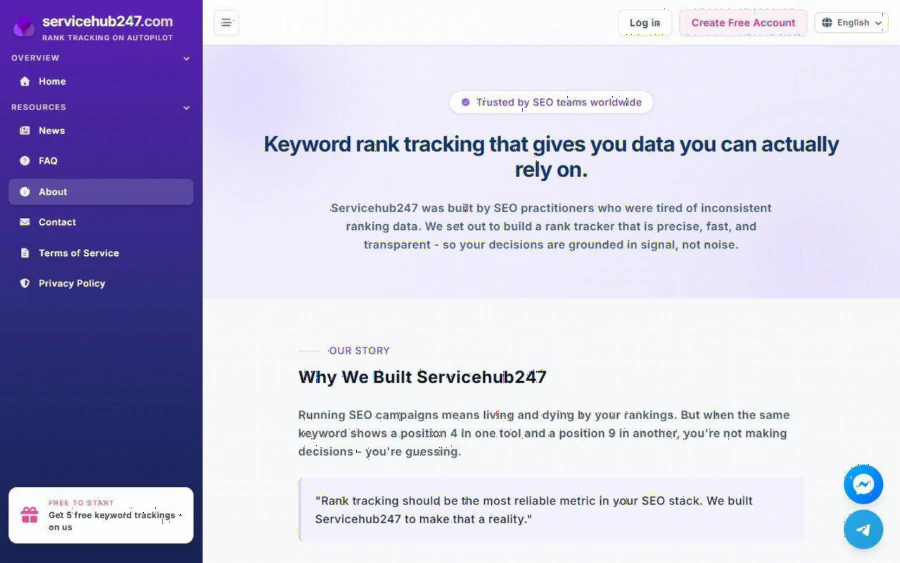
ServiceHub247 About page explaining why the rank tracker was built
The site says the product was designed around getting positions that reflect what live search results show. That is a reasonable goal, but treat it with the same healthy skepticism you would apply to any vendor claim. The practical advice is to run a small test. Take a handful of keywords, check them manually with the right location and device, and compare. Consistency within one tool over time matters more than matching another tool exactly, because you mostly care about trends.
Pricing and honest limits
Pricing is listed on the homepage under "All Plans". The figures are as follows:
| Plan | Price | Keywords |
|---|---|---|
| Free | $0 forever | 5, tracked weekly |
| Lite Weekly | $5.90 per month | 30 |
| Standard Weekly | $7.90 per month (list price $11) | 50 |
| Lite Daily | $21.90 per month | 30 |
| Standard Daily | $29.90 per month (list price $46) | 50 |
| Enterprise | Custom | Custom |
The homepage also says no credit card is required to start and that you can cancel anytime.
Now the limits, which matter as much as the strengths. The keyword quotas are small. Fifty keywords is the top self-serve tier, and that is enough for a single modest website or a focused set of pages, but not for a large publisher with thousands of lesson pages or an agency with many big clients. Larger needs go to the Enterprise route, which is custom. Daily checks cost noticeably more than weekly ones, so you need to decide whether day-by-day movement is worth the difference. For most education sites, where pages change slowly, weekly checking is often plenty.
The free plan, with five keywords checked weekly, is best seen as a trial rather than a working setup. It is enough to confirm that the dashboard and data suit you.
How it compares
The rank tracking space is crowded, and ServiceHub247 is not trying to be everything. A fair general comparison looks like this:
- SERPWatcher (Ahrefs) comes from a large SEO suite. If you already pay for Ahrefs, the tracker is part of an ecosystem with many other tools. The trade-off is that the wider suite is built for professionals and priced accordingly.
- AccuRanker is known as a dedicated, accuracy-focused tracker aimed at agencies and larger operations, which usually means more capacity and a different budget level.
- SE Ranking is an all-in-one platform with tracking alongside research, audit and reporting features. It suits teams that want one place for several tasks.
- SERPROBOT is a lightweight option in the simple-checker camp, closer in spirit to a focused utility.
Where does ServiceHub247 fit? Its appeal is a narrow, affordable tracker with a clean dashboard, an API and low entry prices. It will not replace a full SEO suite, and it does not claim to. If you want keyword research, site audits and backlink analysis in one subscription, a broader platform may serve you better. If you mainly want to watch a limited keyword list without a big monthly bill, a focused tool is a sensible choice. Check each vendor's current pricing and quotas yourself, since plans change.
Who should use it, and who should not
A good fit:
- Teachers, tutors and education bloggers with a small website and a short list of priority keywords.
- Independent publishers who want to watch how a few key pages perform before and after a content update.
- Freelancers and small agencies who need simple, shareable reports for a handful of projects.
- Developers who want to feed ranking data into their own dashboards through an API.
A weaker fit:
- Large publishers or marketplaces that need to track thousands of terms.
- Teams that want an all-in-one suite with research and auditing under one login.
- Anyone expecting a tracker to improve rankings by itself. A tracker measures. It does not move your pages up.
That last point deserves emphasis. No tool can promise a better position. What a tracker gives you is evidence: which pages are climbing, which are falling, and where your effort is paying off.
How to start
The easiest path is the free plan. Create an account on the registration page, add your five most important keywords, set the location that matches your audience, and let a week or two of data build up. Pick terms with a clear purpose, such as the name of a flagship course, a popular exam topic or a subject page that brings in most of your visitors.
After that, compare the dashboard against what you see in your own analytics. If the trend lines tell a story that matches your traffic, you have a useful instrument. If you outgrow five keywords, a paid weekly plan costs a few dollars a month, and you can move to daily checks only if your topics move fast enough to justify it. Since cancellation is available at any time, the risk of trying is low.
The bottom line
ServiceHub247 is a focused rank tracker with a clear dashboard, sensible reporting, an API and low-cost plans. Its main limit is capacity, since the self-serve plans stop at 50 keywords. For small education sites and small teams, that ceiling may be perfectly comfortable. For larger operations, it points toward the custom tier or a different tool. Test it with a few real keywords, judge the trend data against your own results, and decide from there.